


Video editor overview
The Video Editor turns recorded sessions and imported media into a polished composition while preserving the original source files.
One editing workspace
Beam keeps project controls at the top, capability navigation and properties on the left, the output preview in the center, and timing controls in the resizable timeline below. Selecting a clip, zoom, cursor, or the canvas opens the controls that apply to it.
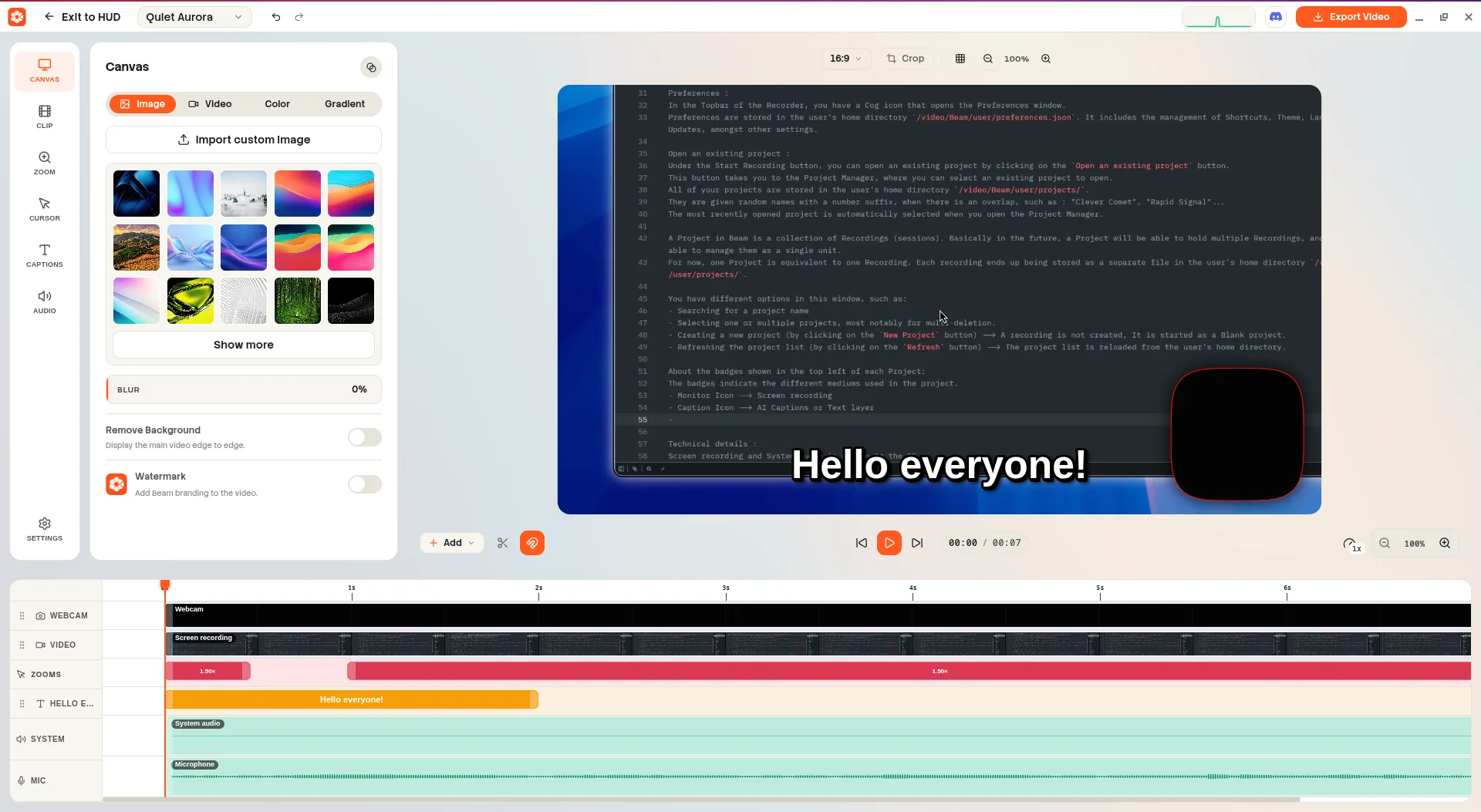
Screenshot pendingAdd the image at:
website/docs/public/screenshots/editor/interface-overview.webpFrom recording to export
- Open the editor after recording or choose an existing project.
- Arrange, trim, split, and style clips on the timeline.
- Set the canvas background, zooms, cursor behavior, captions, and audio.
- Preview the composition at a suitable playback quality.
- Export the finished video as WebM or MP4.
Editor technology
The desktop interface is built with Electron and Vue. Beam uses Mediabunny for media playback and export, and the Canvas 2D API to composite visual layers.